Connecting to Bitbucket
If you authorize Appcircle to access your repositories on Bitbucket, you can select the repository you want to connect on the next screen.
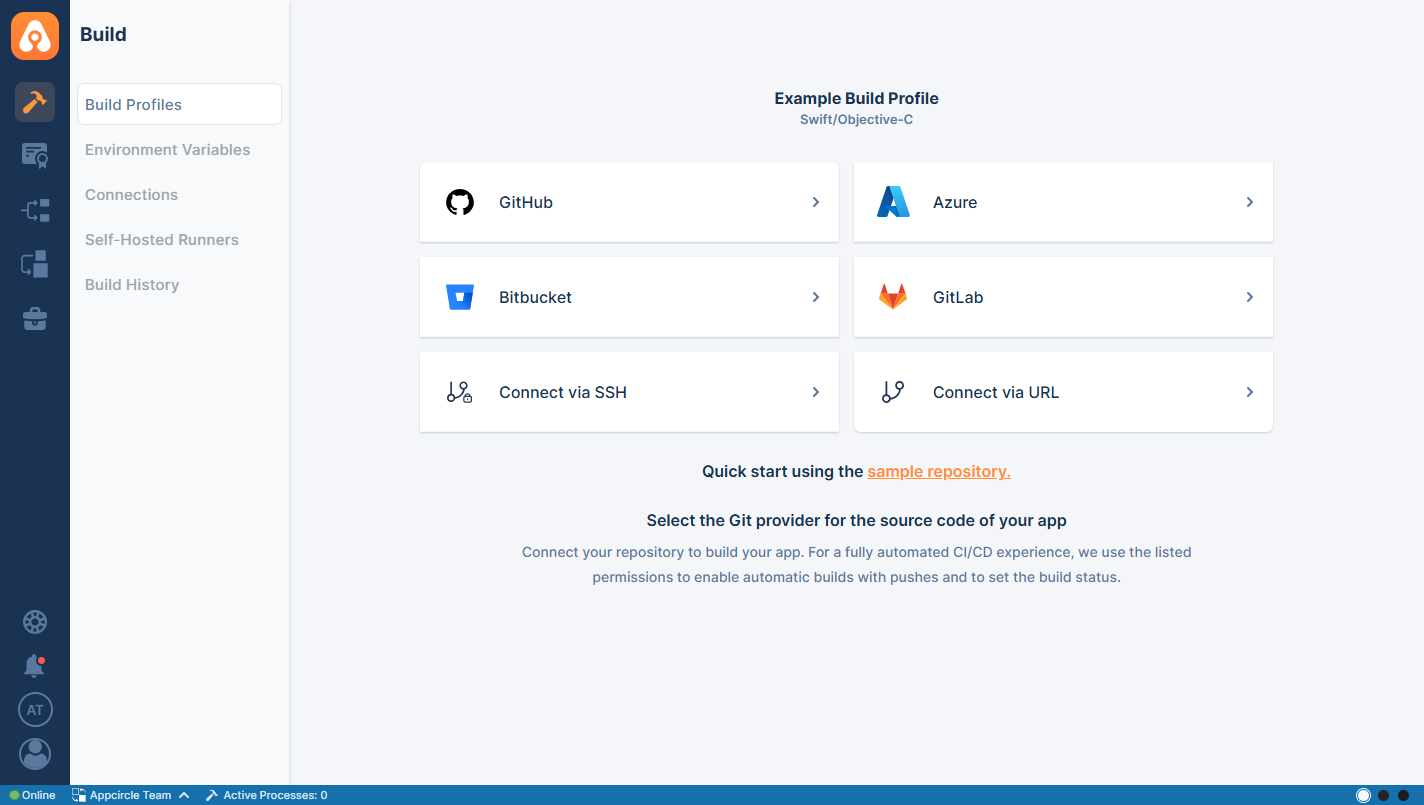
After you click Bitbucket, the following screen appears. From there, you can either select from the repositories already authorized for Appcircle or authorize additional repositories.
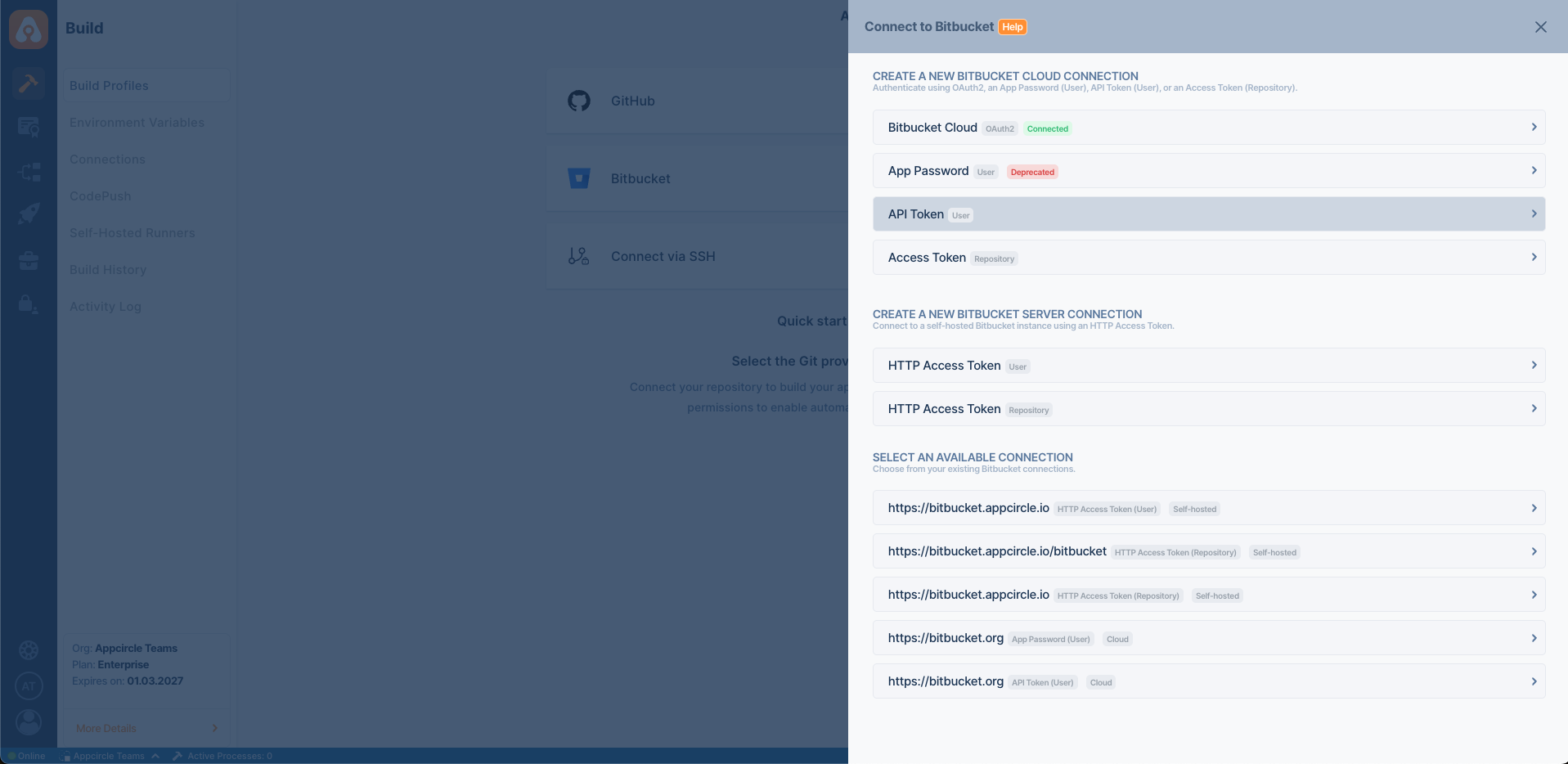
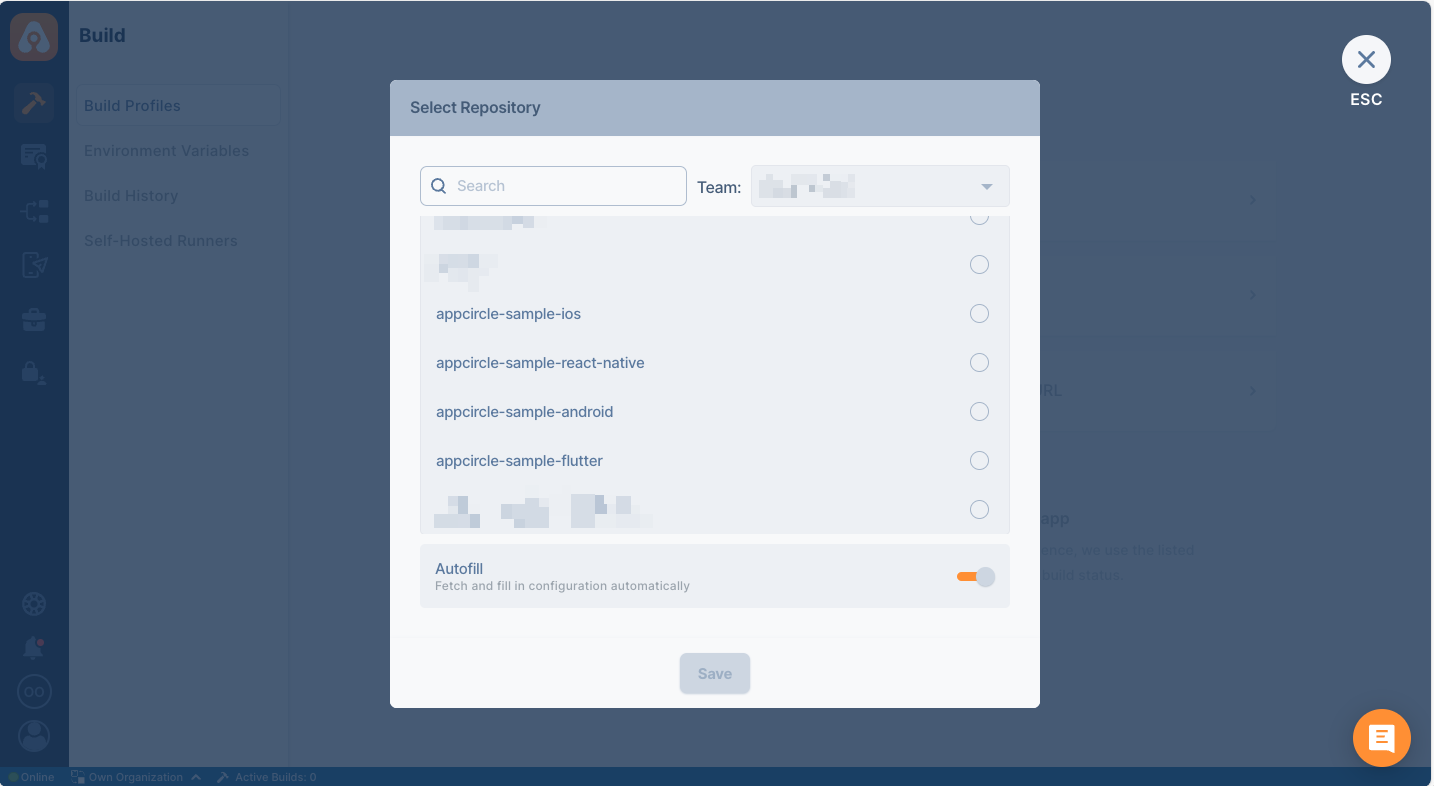
When you successfully authorize your account, the following screen will appear to let you select one for connection:
After the connection is successful, you can view your newly created profile and start building!
Connecting to Bitbucket Cloud Repository
To connect to a Bitbucket Cloud repository, you can choose from the following connection types:
-
OAuth2 Connection
Click Get Repositories from Bitbucket Cloud (OAuth2) to authorize Appcircle using your Bitbucket Cloud credentials. This provides secure and seamless integration. -
App Password - User (Deprecated) Choose this to authenticate using your Bitbucket username and an App Password. You will need to provide:
- Connection Name
- Bitbucket Server URL (e.g.,
https://bitbucket.org) - Username
- App Password
Bitbucket has replaced App Passwords with API Tokens. However, existing App Passwords can still be used until mid-2026. For more information, please refer to the official Bitbucket documentation.
-
API Token - User Choose this to authenticate using your Bitbucket username and an API Token. You will need to provide:
- Connection Name
- Bitbucket Server URL (e.g.,
https://bitbucket.org) - Email Address
- API Token
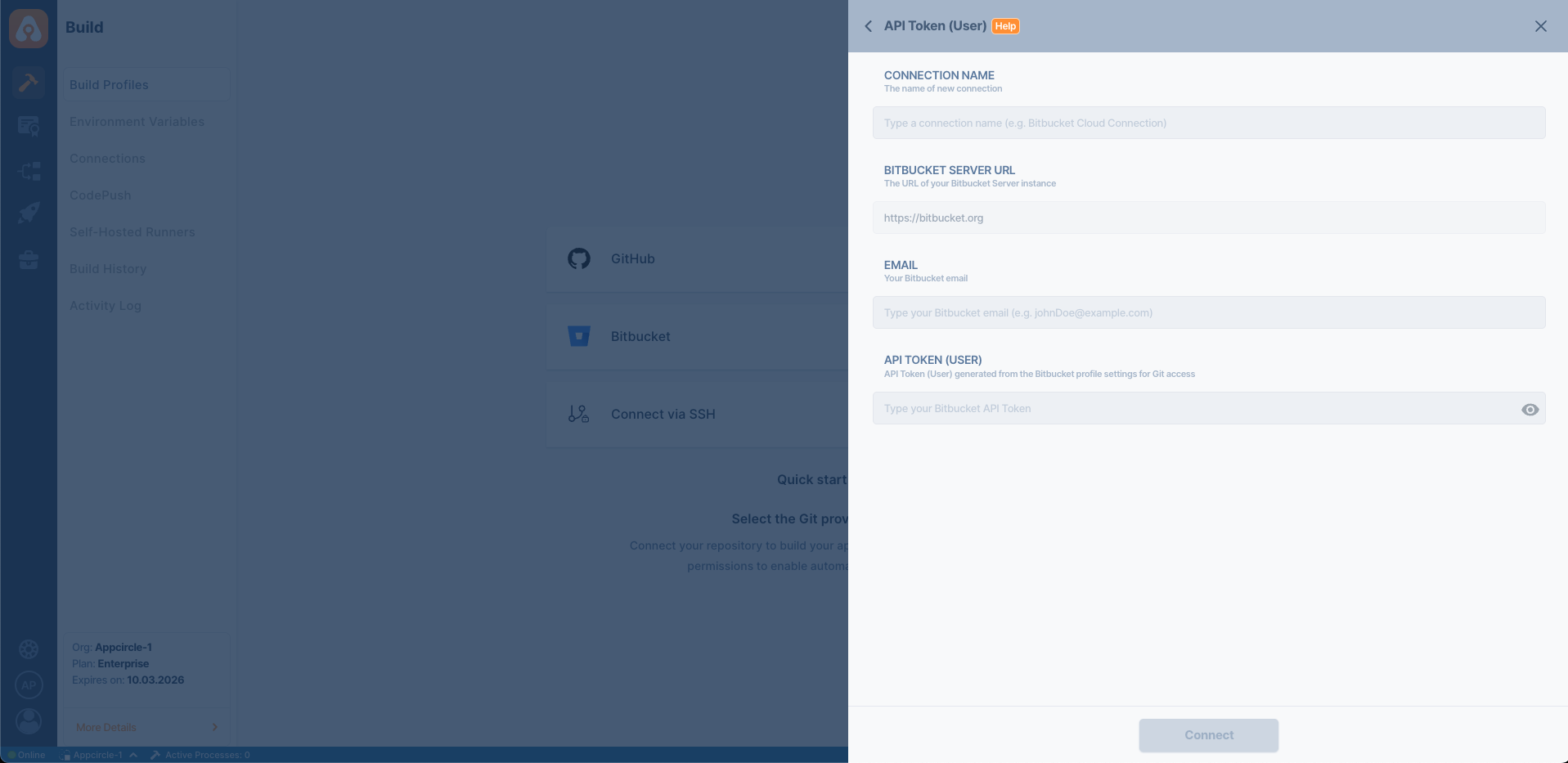
- Access Tokens - Repo
Use a repository-specific token for limited-scope access to individual repositories. This option also requires the repository workspace.
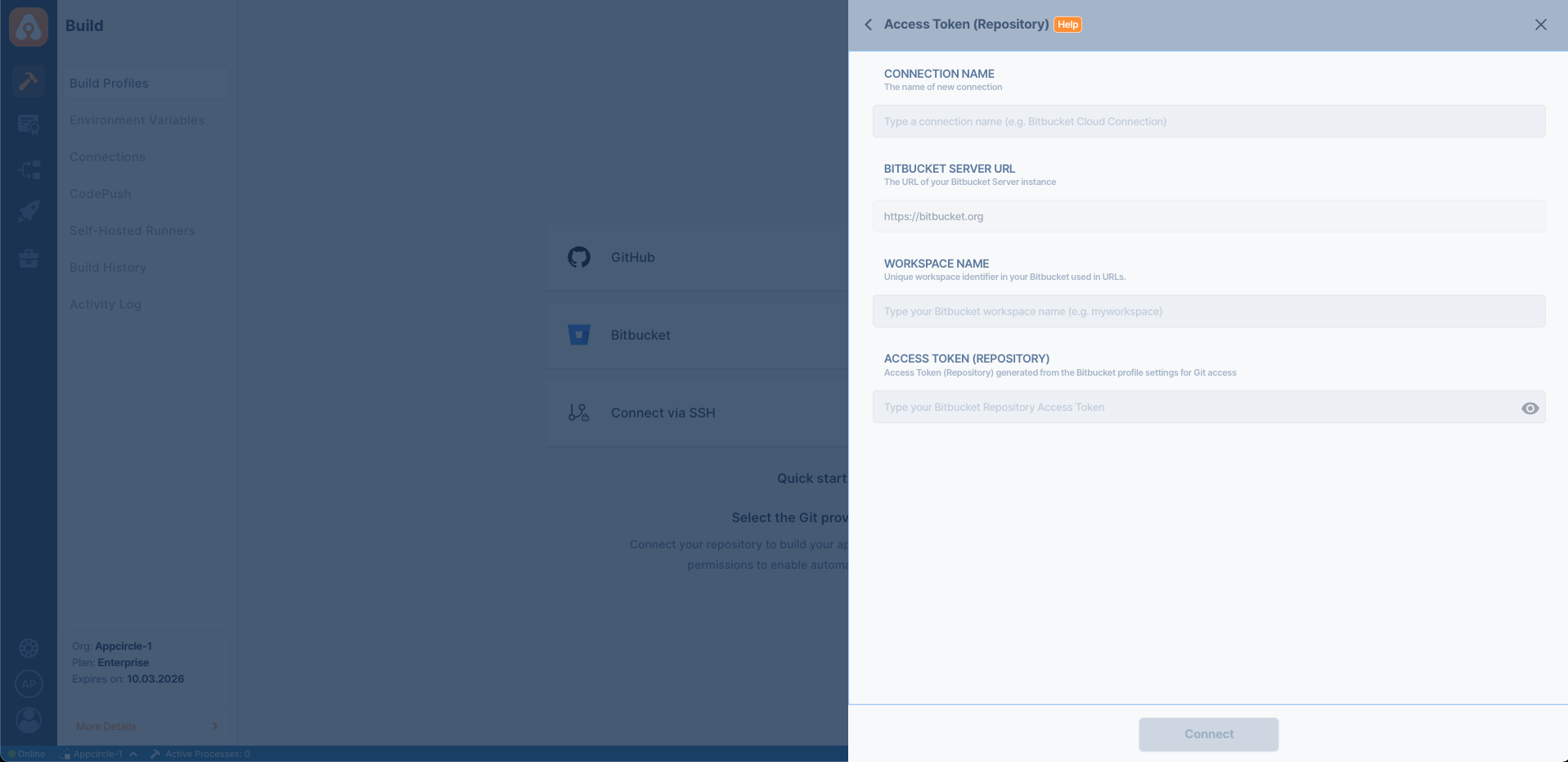
OAuth2, App Password (Deprecated) and Access Token Permissions for Bitbucket Cloud Integration
The following table details the permissions required for Appcircle to connect with Bitbucket Cloud using OAuth2, App Password, or Access Token. These permissions grant read access to projects, repositories, pull requests, and webhooks, ensuring proper functionality during the integration.
| Scope | Permission | Description |
|---|---|---|
| Account | Provides access to view the user's primary email address. | |
| Project | Read | Provides access to view the projects the user has access to view. Read access (repository) to all the repositories in the projects is also granted. |
| Repository | Read | Provides access to view all the repositories the user has access to view, including the source code, Issues, and Wiki. This does not include pull requests. |
| Pull Request | Read | Provides access to view and list pull requests on the repositories the user has access to view. This permission (scope) also allows the user to create and resolve tasks. |
| Webhooks | Read & Write | Needed for enabling Appcircle triggers through webhook operations. |
For OAuth2 connections, Appcircle also requires access to Bitbucket Workspaces. This additional permission is not available as a separate selection for App Password or Access Token based connections.
API Token Permissions for Bitbucket Cloud Integration
The following table details the API Token permissions required for Appcircle to connect with Bitbucket. These permissions grant read access to projects, repositories, pull requests, and webhooks, ensuring proper functionality when integrating with Bitbucket via API Token.
- While creating an API Token, select the Create API Token with scopes, then choose Bitbucket Application as the API Token App.
| Scope | Description |
|---|---|
| read:account | Provides access to view the user's primary email address. |
| read:project:bitbucket | Provides access to view the projects the user has access to view. Read access (repository) to all the repositories in the projects is also granted. |
| read:repository:bitbucket | Provides access to view all the repositories the user has access to view, including the source code, Issues, and Wiki. This does not include pull requests. |
| read:pullrequest:bitbucket | Provides access to view and list pull requests on the repositories the user has access to view. This permission (scope) also allows the user to create and resolve tasks. |
| read:workspace:bitbucket | Provides access to view your workspaces within Bitbucket Cloud. |
| read:webhook:bitbucket | Needed for enabling Appcircle triggers through webhook operations. |
| write:webhook:bitbucket | Needed for enabling Appcircle triggers by automatically creating webhooks. |
| delete:webhook:bitbucket | Needed for enabling Appcircle triggers by removing automatically created webhooks. |
Connecting to Bitbucket Server (Self-Hosted) Repository
The overall process is similar to connecting a private repository over SSH, but Appcircle also supports connections to self-hosted Bitbucket servers via HTTP Access Tokens.
Your Bitbucket version must be 7.14 or higher.
- Select Bitbucket > HTTP Access Token - User or HTTP Access Token - Repo based on your token type.
- Fill in the connection form with:
- Connection Name
- Bitbucket Server URL
- Username
- HTTP Access Token
If you are not sure what those are, contact your system administrator.
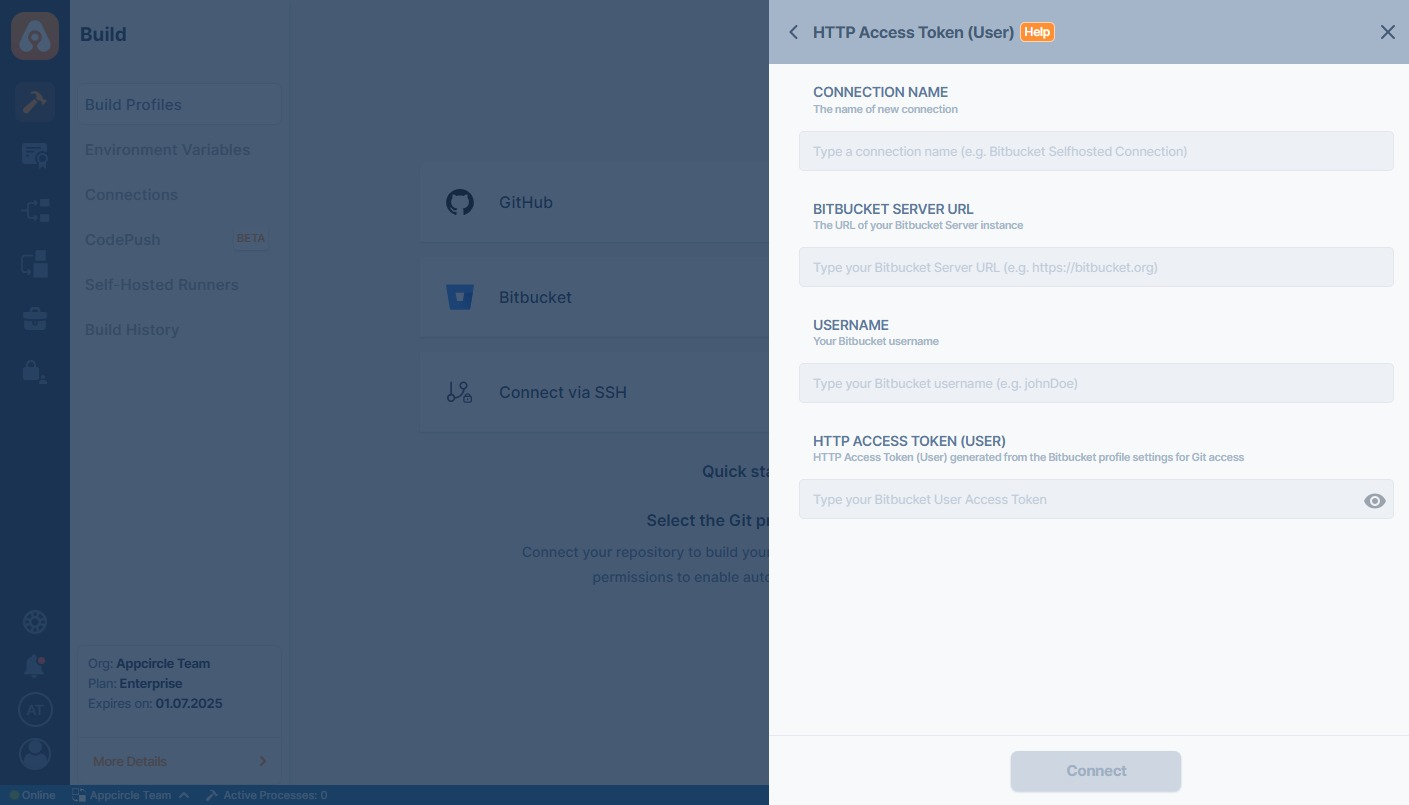
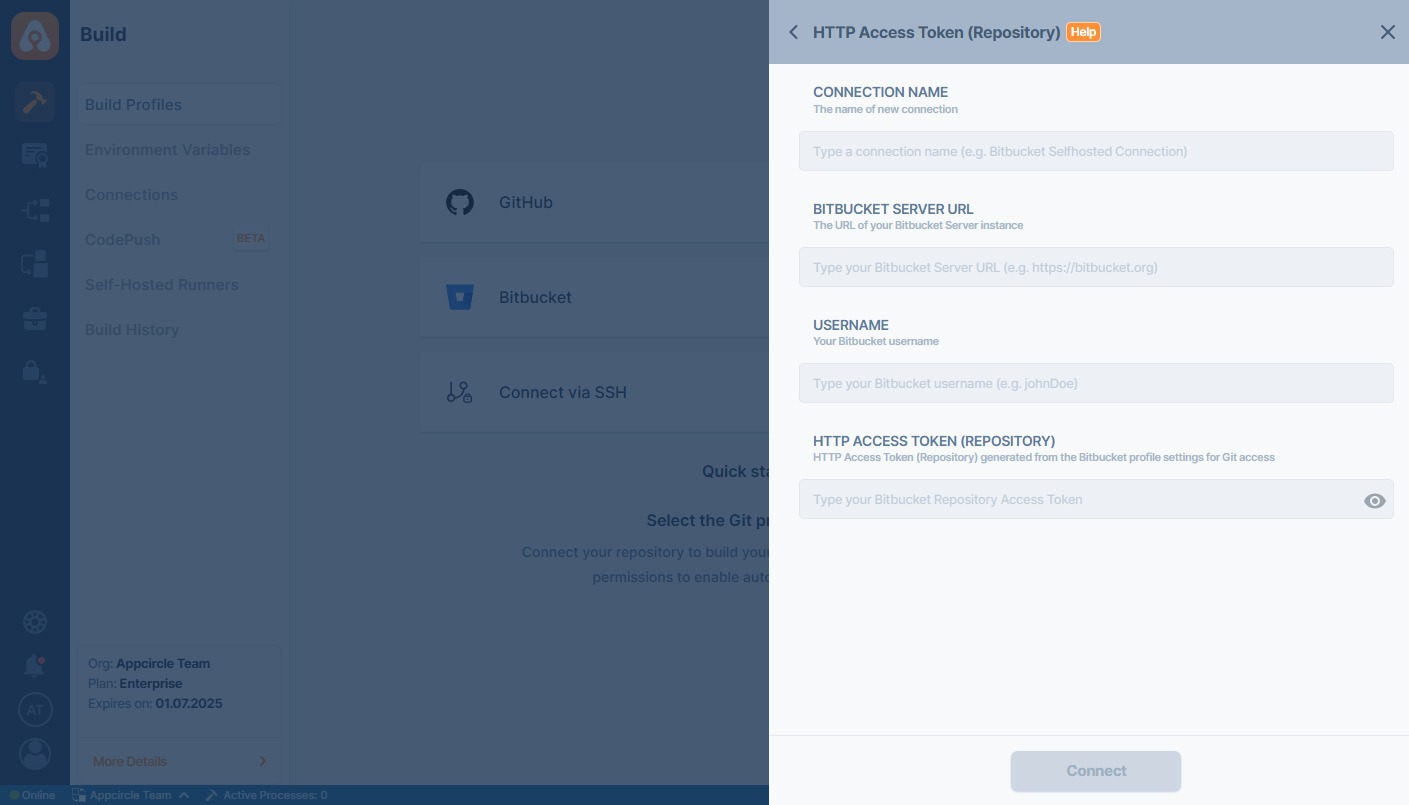
Appcircle requires admin-level access to automatically create the necessary webhooks. After the webhooks are successfully created, the associated access token can be safely downgraded to read access.
For Appcircle to connect to the self-hosted Bitbucket instance, your connection must be reachable over the internet.
Is your self-hosted Bitbucket instance under an enterprise firewall? Learn which IP addresses and ports Appcircle uses to function under the whitelist documentation:
Accessing Repositories in Internal Networks (Firewalls)
Token Creation
Bitbucket has Personal Access Token to authorize the user. Relevant guide:

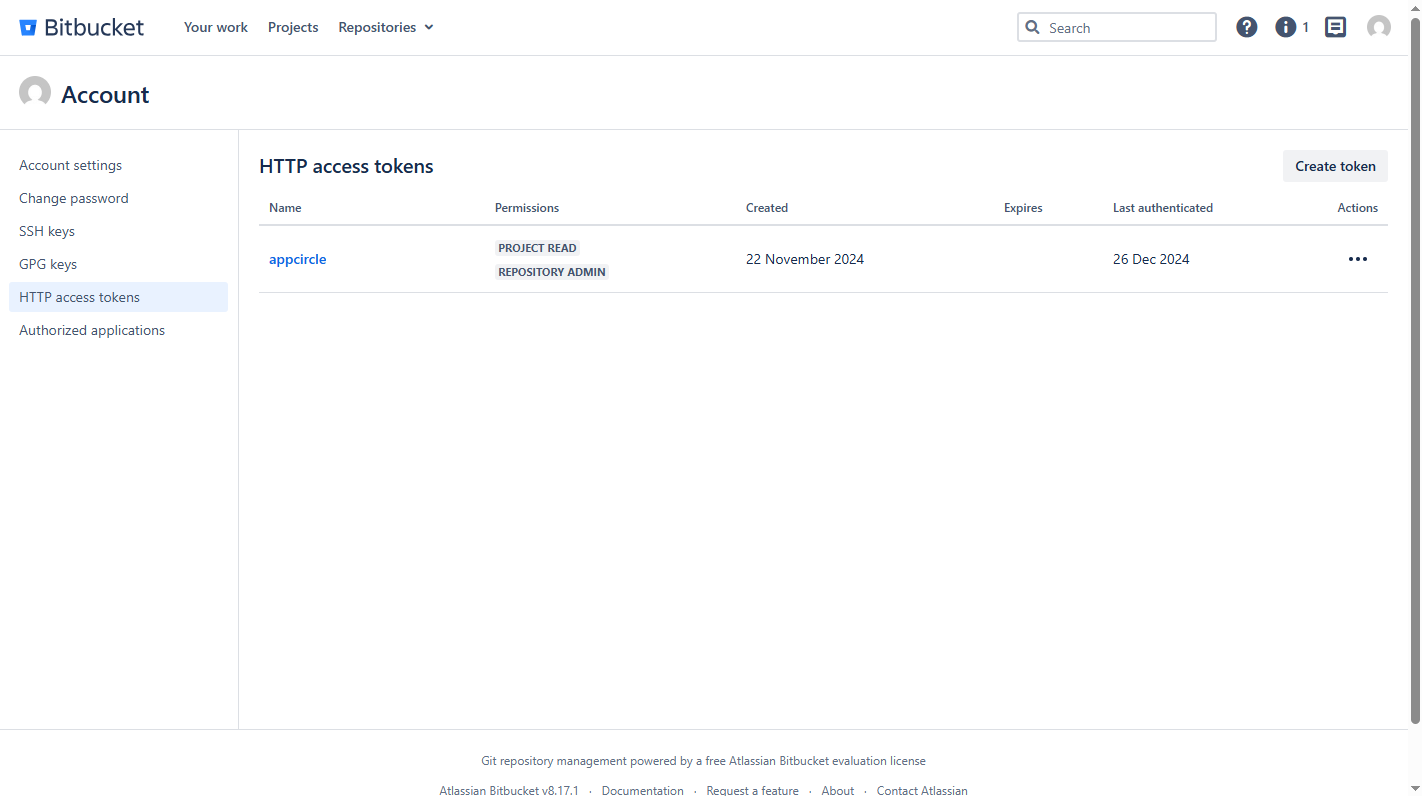
Appcircle needs admin permission to function properly. The admin permission is needed to create relevant WebHooks automatically.
Bitbucket doesn't allow scoped repository permissions like GitHub. Therefore the token you add can access all the repositories of the token's owner. When you're adding a token, it's better to create a new bot user or a project and give access to only the required repositories for build to succeed.
Check Token
You can follow the steps below to check if your token is valid.
- Open the terminal and issue the following command
curl --user name:password http://YOUR_BITBUCKET_HOST/rest/api/1.0/repos
Above command should print out your projects. If you don't see an output, please check your token and Bitbucket address.
Please also make sure that the output doesn't show any reference to localhost. If you see localhost, you need to configure Bitbucket and put the correct address of your Bitbucket instance.
FAQ
What is CHANGE-2770, and does it affect Bitbucket Cloud connections?
CHANGE-2770 is Atlassian's deprecation and removal of several Bitbucket Cloud cross-workspace APIs. As part of this change, Bitbucket Cloud integrations must use workspace-scoped APIs instead of relying on older APIs that returned data across multiple workspaces.
If your existing connection is affected, you may need to complete a one-time update based on your connection type:
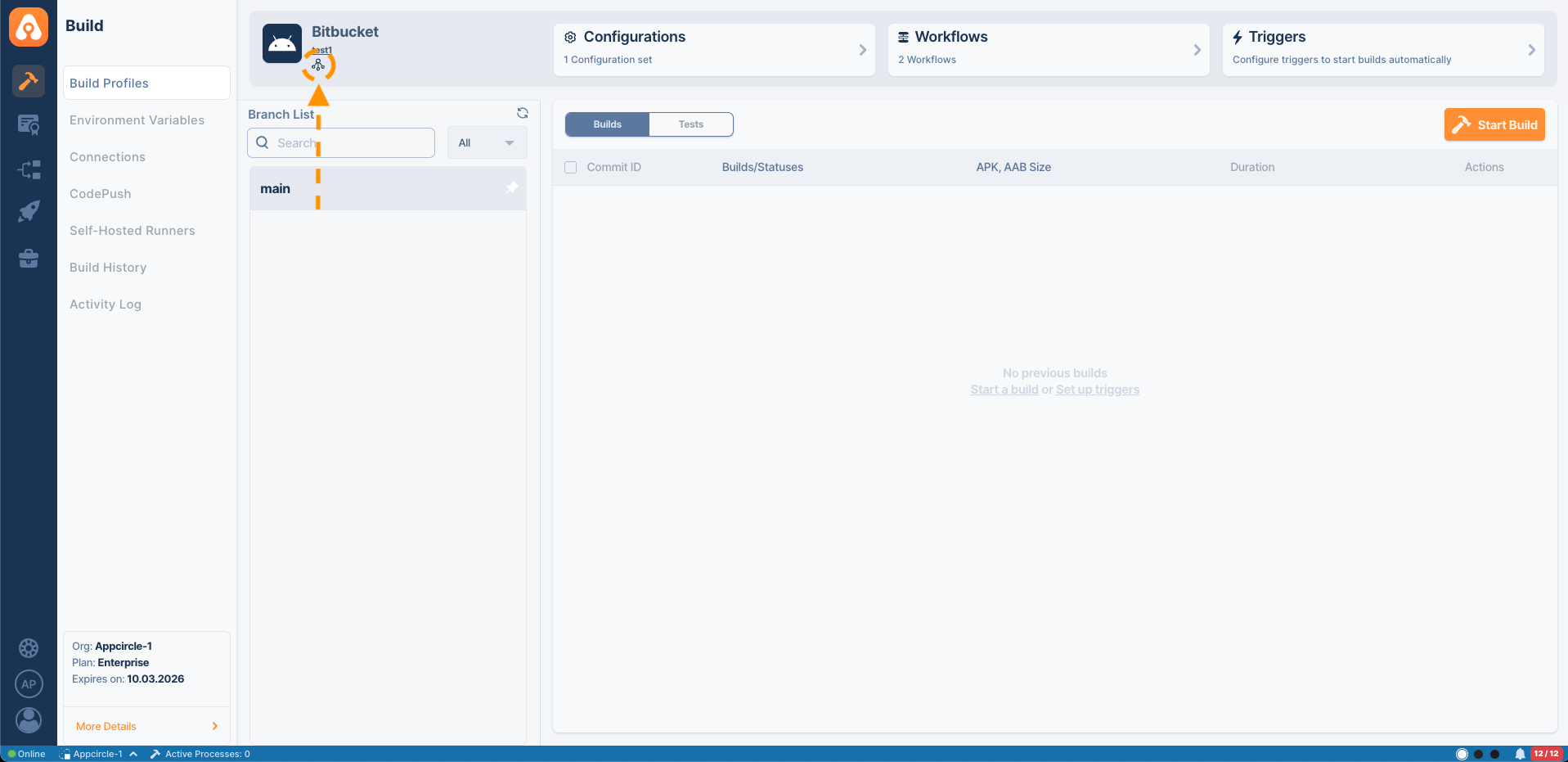
In your build profile, click the Connection icon, then disconnect and reconnect the relevant Bitbucket Cloud repository using one of the following methods. For more information, see Reconnect or Change Git Provider.
- OAuth2 Connection: Reconnect your Bitbucket connection in Appcircle to grant the required workspace access.
- API Token - User: Regenerate your token and make sure it includes the permission required to list workspaces.
- Access Tokens - Repo: Create a new connection in Appcircle, enter your workspace name, and save the connection.
For more details, see Atlassian's official changelog entry for CHANGE-2770:
Need help?
Get help from Appcircle's support team, or see how others are using Appcircle by joining our Slack Channel.